


Bermuda Video Chat
4.21.54K Reviews
App Specs
- Version
- 2.35.2
- Updated On
- License
- Free
- Downloads
- 10,000,000+
- Developer
- Bermuda Inc.
- Categories
- Social
- Platform
- Android
Screenshots
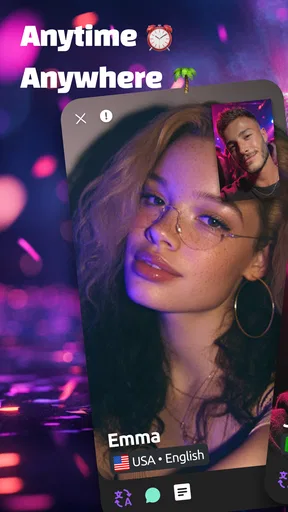

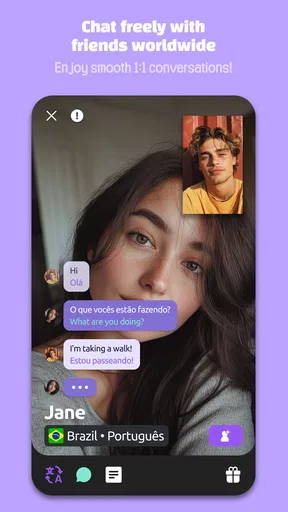
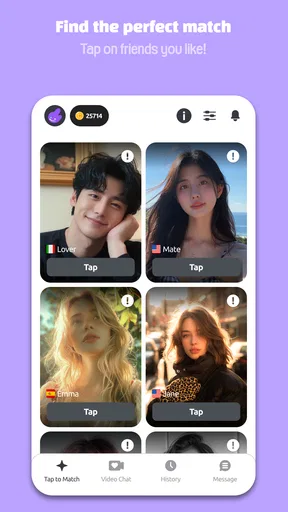
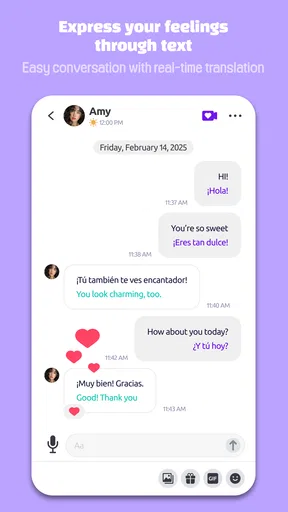
 Analysis by AppCompare
I approached Bermuda Video Chat as a social app for meeting people through live video rather than as a conventional messaging service. That distinction matters. A text-first network gives me time to think, edit, and decide how much of myself to reveal. A live video service asks for a faster choice: whether I want to appear on camera, speak with someone unfamiliar, and continue when the interaction feels comfortable. My experience is that this can make conversations feel more immediate, but it also makes trust and personal boundaries much more important than they are in a typical social feed.
Developed by Bermuda Inc., the app is free to download and belongs to the social category. It has been available since July 6, 2016, and the Android release I reviewed is version 2.35.2, requiring Android 6.0 or later. Its audience is clearly mature, with a 17+ content rating, so I would not treat it as a casual family chat tool or something to hand to a younger teenager. The service has reached over ten million installs and holds an average rating of 4.2 from roughly 175 thousand ratings, which suggests that the basic idea appeals to a substantial audience while still leaving room for mixed experiences.
What trust looks like before the first video chat
The first useful question is not whether live video sounds exciting. It is whether I am comfortable with the kind of exposure it creates. Bermuda Video Chat is built around meeting people online and sharing moments, so the camera changes the social risk. A profile picture can be selected carefully; a live conversation reveals my surroundings, voice, mannerisms, and reactions in real time. That immediacy is the app’s main attraction, but it is also the reason I would use it more deliberately than a standard social network.
I would begin by treating the account as a separate social identity rather than connecting it casually to every part of my offline life. A neutral username, a simple profile image, and a background that does not reveal my address, workplace, school, or daily routine are sensible starting points. This is not a criticism of Bermuda specifically; it is a practical response to any service where strangers may see and hear me live. The best trust decision happens before the first conversation, not after an uncomfortable interaction.
The app’s popularity can make the service feel established, but a large community does not automatically make every conversation trustworthy. I would still judge people by their behavior, not by how polished their profile looks or how quickly they seem friendly. Someone who pressures me to move off the app, asks for private contact details immediately, requests money, or becomes irritated when I decline a question is giving me a clear reason to end the chat.
There is also a useful difference between social discovery and friendship. Bermuda can help create an opening conversation, especially for someone who wants to meet people beyond their usual circle. It cannot guarantee compatibility, honesty, or a lasting connection. I found it more useful when I treated each chat as a short introduction rather than assuming that a video call meant I had already found a friend.
Account choices deserve attention
One of the first things I would inspect is how the app lets me manage the account itself. Before using the camera, I would look for visible controls around the profile, sign-in method, notifications, and any options for removing or changing account information. These are not glamorous features, but they determine how easy it is to step back if the service no longer suits me.
Worth Reading Before You Choose

EA SPORTS FC Mobile 26 Is a Bigger Football Game, but It Takes Time

Flipboard Shows What News Apps Must Do Beyond the Feed

Switching to Android Auto Means Rethinking Your Driving Routine

Google Calendar Makes a Crowded Week Easier to Manage

Ludo King Makes the Most of the Minutes Between Plans

Baby Panda World Brings Quick Play to Modern Phones, but Its Game Library Feels Busy
I would also review the Android permission prompts carefully instead of tapping through them automatically. A live video app may reasonably need access connected with camera and microphone use when I start a call, but I prefer granting access in context and checking the operating system’s permission screen afterward. If I am not using video, I do not see a good reason to leave myself unsure about whether camera or microphone access remains available in the background. The important habit is to make each permission a conscious choice.
Notifications deserve the same treatment. Incoming social alerts can be useful when I am actively waiting for a conversation, but they can become intrusive when they appear throughout the day or expose social activity on a lock screen. I would keep alerts limited to what I actually need and disable lock-screen previews if other people regularly see my phone. That small adjustment gives me more control without requiring me to abandon the app.
The free entry point is convenient, but the presence of in-app purchases ranging from $0.99 to $199.99 per item means I would pay attention to every purchase screen. I would never assume that a free download means every social function is free or that a virtual item is necessary for a worthwhile conversation. My practical rule is simple: use the service first, understand what the paid option changes, and set a store spending limit before experimenting.
Where personal information can slip into a conversation
Live video creates privacy risks that are easy to underestimate because the conversation feels informal. A room can reveal more than I intend: a family photograph, a delivery label, a school logo, a work badge, or a window view that identifies the neighborhood. I found that a plain wall and a quick glance around the camera frame are more useful than trying to recover control after something has already been shown.
Audio can reveal private information too. A housemate’s name, a child’s voice, a nearby announcement, or a conversation in the next room may be captured by the microphone even when I am focused on the person on screen. I would use the app in a quiet, private place and avoid discussing financial details, passwords, travel plans, or anything that could be used to identify where I live.
A particularly important trade-off is the pressure to respond quickly. In a text chat, I can ignore a question while deciding how to answer. On camera, silence can feel awkward, and that awkwardness may push me into sharing more than I planned. I recommend preparing a few polite exits in advance: “I do not share that,” “I need to go now,” or simply ending the interaction. A boundary does not need a long explanation.
I would also remember that the app’s visible controls are only part of the privacy picture. The other participant can potentially remember, copy, or reproduce what happens during a live interaction. I would not assume that a disappearing moment, a private conversation, or the absence of an obvious download button makes the exchange impossible to preserve. My safest approach is to show and say only what I would be comfortable losing control over.
How I would use the service in an ordinary day
A realistic use case is a quiet evening when I want a brief conversation with someone outside my usual social circle. I might set aside a specific period, use headphones, check the background, and start with a low-stakes topic such as music, food, travel ideas, or a hobby. If the exchange is pleasant, I can continue; if it becomes repetitive, invasive, or uncomfortable, I can leave without treating that as a failed experience.
That time limit is more valuable than it sounds. Without one, a live chat can consume an evening simply because ending it feels rude. I would decide beforehand how long I am willing to browse or talk, and I would avoid using the app when I am tired, upset, or distracted. Those conditions make it harder to notice manipulation and easier to accept requests I would normally reject.
Another useful scenario is practicing casual conversation in a low-pressure way. Someone who works remotely or has recently moved might appreciate the chance to speak with unfamiliar people instead of relying only on existing contacts. Bermuda is better suited to spontaneous interaction than to carefully organized communities built around a specific interest, though. If I wanted detailed discussion about photography, coding, local sports, or a professional subject, I would probably choose a focused forum or group chat instead.
I would not use it as my only social outlet. The app can create encounters, but it does not replace relationships built through repeated trust, shared activities, or real-world support. Keeping it as one optional way to meet people makes the experience lighter and reduces the temptation to tolerate poor behavior just to avoid feeling alone.
Choosing between Bermuda and familiar alternatives
The clearest comparison is with text-based social networks. Those services are usually better when I want to think before replying, share something asynchronously, or keep my camera and surroundings private. Bermuda has the advantage when the goal is immediate human contact and a more natural sense of presence. The cost of that immediacy is reduced control over timing and self-presentation.
It also differs from private video tools used with people I already know. A familiar video call normally begins with an existing relationship, while Bermuda is oriented toward meeting people online. That makes discovery more interesting, but it also means I need stronger boundaries and a lower level of default trust. I would choose a private calling app for family, work, appointments, or sensitive conversations, and reserve Bermuda for casual social exploration.
Compared with interest-based communities, the app is more spontaneous but less specialized. A topic-focused group gives me a natural reason to talk and a shared subject that can make trust easier to assess. Bermuda’s open-ended format may be more exciting for someone who enjoys surprise conversations, yet it can also produce chats that feel shallow, mismatched, or difficult to steer. The better choice depends on whether I value discovery or common purpose more.
The mature rating is another practical dividing line. I would not recommend the app for children, and I would be cautious even with older teenagers because live contact with strangers requires judgment that not every user has developed. Adults who understand privacy settings, recognize pressure tactics, and feel comfortable ending a conversation are more likely to get value from it.
What I would check before spending money
The free version gives me a chance to decide whether the basic social experience is worthwhile before paying. I would use that opportunity fully. I would first learn how conversations begin, how easily I can leave, and whether the people I meet match the kind of interaction I want. A purchase should solve a specific limitation I have already encountered, not be an impulse response to a prompt or a desire to stand out.
The wide range of possible purchase amounts makes parental and personal safeguards especially important. I would require authentication for store purchases, avoid saving payment details where possible, and check the final confirmation screen rather than assuming a tap is harmless. If another person uses my phone, I would make sure they cannot buy items accidentally. These steps are ordinary, but social apps can make spending feel emotionally connected to attention or acceptance, which is exactly when caution helps.
I would also ask whether a paid feature improves my own experience or merely encourages me to compete for visibility. If the benefit is unclear, I would keep using the free path. A social conversation should not feel like a transaction that I must keep funding to remain welcome. That is a personal judgment, but it is an important one for any app with optional digital purchases.
When I would recommend it, and when I would skip it
I would recommend Bermuda Video Chat to an adult who genuinely enjoys spontaneous conversations, wants to meet people from different places, and is comfortable being visible on camera. It is a reasonable fit for someone who finds text-only socializing too distant and who can separate a pleasant chat from an assumption of trust. The free starting point makes it easier to test that fit without committing immediately.
I would skip it if I am looking for a tightly moderated professional network, a private family calling tool, or a focused community built around one hobby. I would also avoid it during periods when I feel lonely enough to overlook warning signs. That is not because live social contact is inherently bad; it is because emotional urgency can make any stranger-based platform harder to navigate safely.
People who dislike appearing on camera may find the central format tiring rather than rewarding. The same is true for anyone who needs deliberate, asynchronous communication or who has limited control over their surroundings. A text community will often be the better option in those cases, even if it feels less immediate.
My cautious verdict after using the app
The strongest reason to try Bermuda Video Chat is its directness: conversations feel like encounters rather than posts waiting for replies. I enjoyed the possibility of meeting someone outside my normal circle, but I found the experience worked best when I supplied the structure the app could not supply for me: a private setting, a clear time limit, selective permissions, and a willingness to leave quickly.
The app’s 4.2 average and broad install base show that it has found a real audience, while the mature age rating accurately signals that this is not a carefree children’s social space. Bermuda Inc. has created a service with an appealing social premise, but the value depends heavily on the user’s judgment. I would not describe it as a replacement for established relationships or specialized communities. I would describe it as a free-to-start doorway to spontaneous live conversation, with meaningful privacy and spending choices attached.
My final recommendation is cautious but positive. If I were suggesting it to a friend, I would say: try it with a separate-minded profile, keep the camera frame clean, grant permissions only when needed, protect your personal details, and never let a stranger rush your decisions. If that style of interaction sounds energizing, the app may be worth exploring. If control, privacy, and predictable contacts matter more than surprise, a familiar text or private video service will probably be the better fit.
Pros
- Quickly meet new people through live video conversations.
- Simple interface makes starting a chat easy for first-time users.
- Video interaction feels more personal than text-only social apps.
- Useful filters can help users find more relevant chat partners.
- Available on mobile
- making conversations convenient while traveling.
Cons
- Video chats may consume significant mobile data and battery power.
- The quality of conversations depends heavily on other users’ behavior.
- Some features may require in-app purchases or paid credits.
- Users may encounter fake profiles
- spam
- or unwanted messages.
- Privacy risks exist when sharing your face or personal information online.
FAQs for Bermuda Video Chat
What is Bermuda Video Chat, and how does it work?
Bermuda Video Chat is a social video-calling app designed to connect users with new people through live, face-to-face conversations. After creating a profile, you can browse or be matched with other users and start a video chat. Depending on the available features, you may also be able to use text messages, filters, translation tools, or virtual gifts during conversations.
Is Bermuda Video Chat free to download and use?
The app can generally be downloaded for free, but some functions may require in-app purchases or virtual credits. Basic access may allow you to create an account and meet other users, while premium features could include extended video calls, enhanced matching options, gifts, or profile visibility. Before spending money, check the current pricing, subscription terms, and credit system in the app store listing.
Is Bermuda Video Chat safe for meeting strangers online?
As with any random video-chat platform, safety depends on how carefully you use it. Avoid sharing your full name, home address, phone number, passwords, financial information, or private photos with strangers. Use the app’s blocking and reporting tools whenever someone behaves inappropriately, and end the conversation immediately if you feel uncomfortable. Parents should also monitor access by younger users.
Does Bermuda Video Chat require a camera, microphone, or location permission?
Video conversations normally require access to your device’s camera and microphone, although you may be able to adjust permissions or use text-based communication instead. The app may request additional permissions, such as notifications or location, depending on its matching and social features. Review each permission carefully and disable anything that is not necessary through your Android or iOS privacy settings.
Can I control who I talk to and delete my Bermuda Video Chat account?
Bermuda Video Chat may provide matching, filtering, blocking, and reporting options, but the exact controls can vary by app version and region. Check the profile and privacy settings before starting conversations so you know how to skip or block users. If you decide to leave, look for an account-deletion option in the settings or contact the developer through the official support channel.


